RiffTrax: The Game - Free PC Download
关于 RiffTrax: The Game
How To Play!

Getting Started
On the main menu select Play.
Now select how you want to connect. You can host your own game (you pick the game mode and settings), find a game, or join an existing game (using a room code).
If you're looking to host a game, select your desired game mode and choose your game's visibility. You can set your game as public (anyone can join), private (only people who have your room code can join) or local (no remote connections are allowed). Choose your game settings and select start game!
Once you're connected, head to Rifftrax.games on any internet connected device (your phone, a laptop, ipad, etc)
On the website, enter your name and the room code you see on your PC/Mac.
You can play single player, two players (with a computer controlled bot), or 3-6 players (bot is optional).
Once everyone has connected and logged in, have the host select Start Game.
To play the game you enter text on the website and watch the clips playback on your PC/Mac.
How to Join a Private Game
To join a game you need a copy of the game* and a room code. A room code can be provided by a friend or streamers.
Once you have their code, select Play on the main menu. Select Join. Enter the room code then select Join Game.
Wait a moment and you will be connected. If you have a mic connected voice chat will start.
On any internet connected device (your phone, a laptop, ipad, etc) head to
On the website, enter your name and the room code you see on your PC/Mac.
To play the game you enter text on the website and watch the clips playback on your PC/Mac.
You can adjust voice chat settings by pressing pause and selecting Voice Chat.
* If you want to join a remote game without purchasing the game, ask the host to share their game screen via Zoom, Discord, or Steam. As long as you can see their screen, you're good to go!
About the Game
 RiffTrax: The Game features the stars of the Emmy-nominated, Peabody Award-winning show “Mystery Science Theater 3000”. Comedians Michael J. Nelson, Kevin Murphy and Bill Corbett have been bringing their comedic running MST3K-type commentary to movies of all kinds for over 15 years - and now’s your chance to riff along with them! Gather your friends and see if you can write the best jokes for some of the worst bits of what can loosely be called "cinema". Do you have what it takes to be the next movie riffing genius?
 Over 500 movie clips (and counting) from RiffTrax classics such as “Rollergator”, “Attack Of The Super Monsters”, and “Plan 9 From Outer Space”!
 Featuring two exciting ways to play! Write your own riff and watch your comedy genius come to life via text-to-speech. Or leave it to the pros and choose from thousands of expertly crafted riffs from the RiffTrax team.
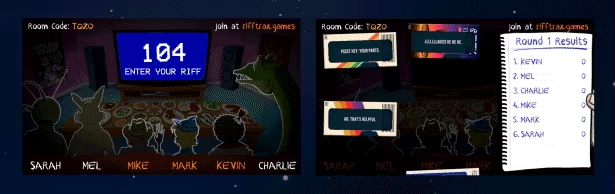 Play head-to-head with up to 6 players using any internet connected device as controller. An additional 12 audience members can also play along.
 Play locally or battle riffers from around the world with online multiplayer matchmaking. Supports cross play and features in-game voice chat.
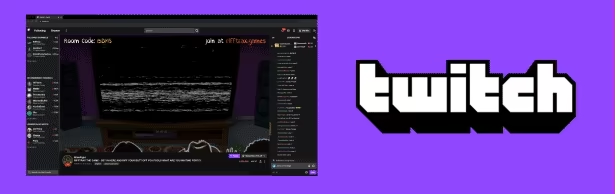 Streamers, get your entire chat in on the action with Twitch integration. Let your chat vote, choose clips, or even play along!
这段文字直接取自游戏的商店页面,由系统自动抓取。我们不撰写也不修改它,因此其中可能包含剧透。
系统需求
- 最低
- Windows 10
- 推荐
- Windows 10
- 最低
- 2.66 Ghz Core 2 Duo or Greater
- 推荐
- 2.33 GHz Quad Core or Greater
- 最低
- 4 GB RAM
- 推荐
- 8 GB RAM
- 最低
- GeForce 600+ / Radeon 6000+
- 推荐
- GeForce 600+ / Radeon 6000+
- 最低
- 2 GB available space
- 推荐
- 2 GB available space
- 最低
- Yes
- 推荐
- Yes
- 最低
- Broadband Internet connection
- 推荐
- Broadband Internet connection
这些是开发商列出的配置要求,可能并非 100% 准确。如果你的配置低于最低要求,也可以试着运行;很多游戏在低于要求的配置下也能流畅运行。拿不准时,可以在 YouTube 查看性能实测。
下载
从下方任意镜像下载文件。所有分卷都需要下载。保存到同一文件夹,然后解压第一个分卷。
如果只有一个主机失效,我们不接受修复请求。请使用上面的其他镜像。 链接失效了?告诉我们。
我们从不给压缩包加密码,也不夹带安装程序。如果某个页面要求输入密码或付款,那是文件主机的广告,不是我们。请查看我们的安全指南。