
I am an Air Traffic Controller 4 - Free PC Download
关于 I am an Air Traffic Controller 4
[About "I am an Air Traffic Controller 4"]
Since its release in 1998, this air traffic control game has established itself as a long seller, strongly supported by numerous users both inside and outside of aviation fandom.
For the safe flight of aircraft, air traffic controllers play a vital role. We focus on the duties of these controllers in our game scenarios.


[How to Play]
To clear the stages, a player should issue directions as a tower controller for safe and effective flight of aircraft. The operation is quite simple, just select an aircraft and click Instruction buttons. Yet as the situation keeps changing according to the directions issued and the timing, clearing the stage always requires precise and correct judgment. Even after game over, you can resume from the middle of the game replay.

[Various Stages Available]
Adding to the Game Stage of various play levels, the Extra Stage gives you some special conditions to further liven up the play. You can also select time, wind direction, and section you like for your own Original Stage.

[Airport Covered]
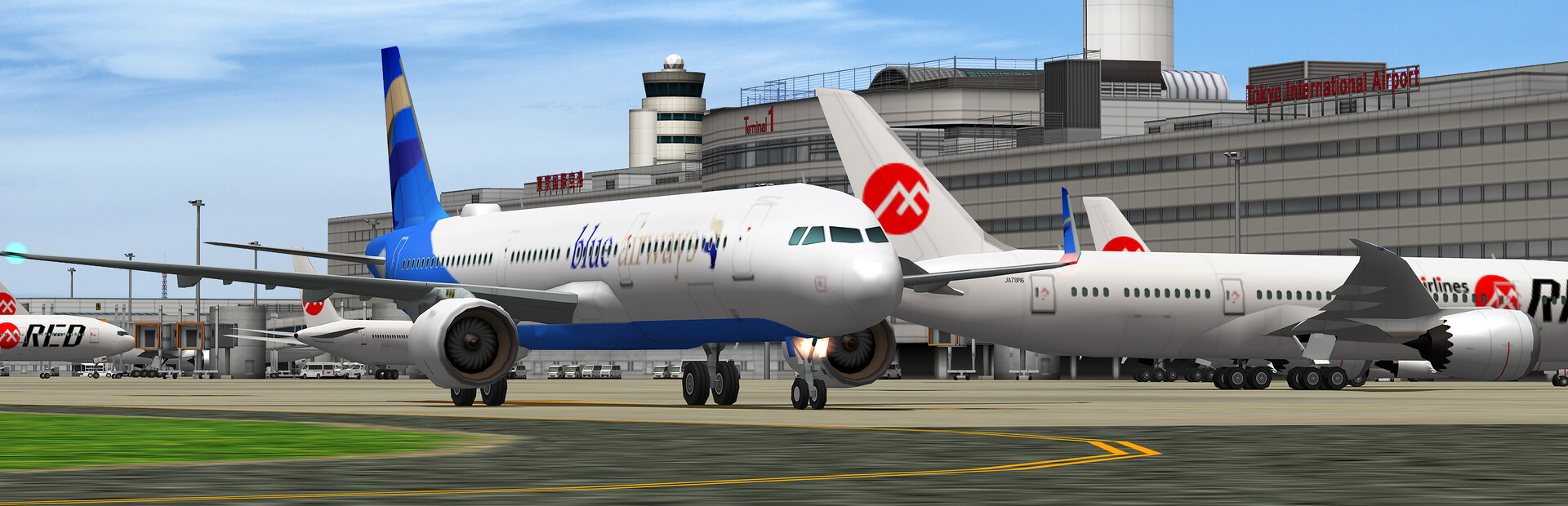
The game is set in Haneda Airport (HND/RJTT) in Tokyo, which represents Japan!
It is Japan's largest airport both in its reputation and in its performance, as it sports no less than four runways, handling over 80 million passengers annually (domestic/international), with over 400,000 flight slots.

这段文字直接取自游戏的商店页面,由系统自动抓取。我们不撰写也不修改它,因此其中可能包含剧透。
系统需求
- 最低
- Windows 10 64bit
- 推荐
- Windows 10 64bit
- 最低
- Intel 4th Gen Core i3 2.4GHz
- 推荐
- Intel Core i7-9700 3GHz
- 最低
- 8 GB RAM
- 推荐
- 16 GB RAM
- 最低
- Intel HD Graphics 4400 series
- 推荐
- NVIDIA GeForce RTX 2060
- 最低
- Version 9.0
- 推荐
- Version 9.0
- 最低
- 3 GB available space
- 推荐
- 3 GB available space
- 最低
- DX9-compatible sound card
- 推荐
- DX9-compatible sound card
- 最低
- 1366x768 display
- 推荐
- 1920x1080 display
这些是开发商列出的配置要求,可能并非 100% 准确。如果你的配置低于最低要求,也可以试着运行;很多游戏在低于要求的配置下也能流畅运行。拿不准时,可以在 YouTube 查看性能实测。
下载
从下方任意镜像下载文件。所有分卷都需要下载。保存到同一文件夹,然后解压第一个分卷。
如果只有一个主机失效,我们不接受修复请求。请使用上面的其他镜像。 链接失效了?告诉我们。
我们从不给压缩包加密码,也不夹带安装程序。如果某个页面要求输入密码或付款,那是文件主机的广告,不是我们。请查看我们的安全指南。