Super Mombo Quest - Free PC Download
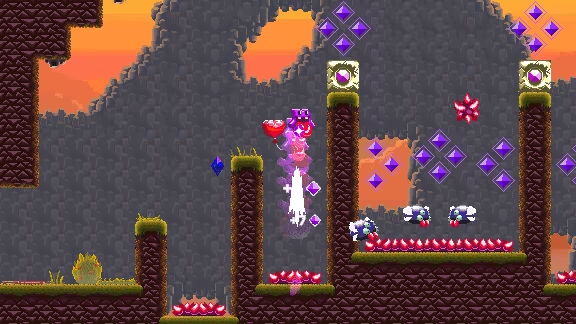
GET THE PERFECT COMBO ON HUNDREDS OF LEVELS!
Travel through a giant interconnected world made up of hundreds of areas, each with multiple challenging enemies. Some will chase you, some will shoot you, some will fly around… And some are extremely dangerous! Can you be fast enough to defeat them all in a perfect combo?
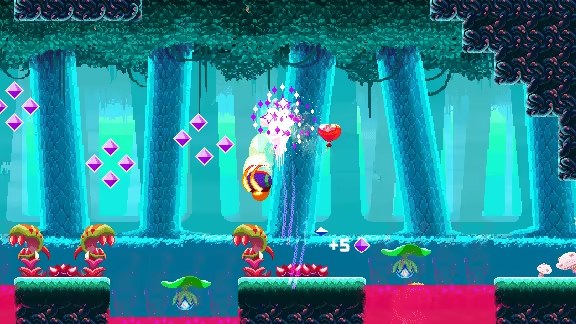
CUSTOMIZE YOUR GAMEPLAY WITH SPECIAL ABILITIES!
Unlock different Mombo forms to reach speeds never before imagined! And use them to your advantage to uncover secrets and make powerful combos!
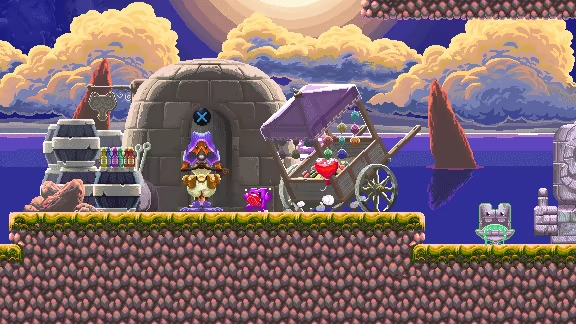
TALK TO NPCS, BUY ITEMS AND GET UPGRADES!
If you get tired of all the intensity, chill around and chat with the guardians of Subrosa. They will certainly offer items and upgrades so you can challenge yourself even more.
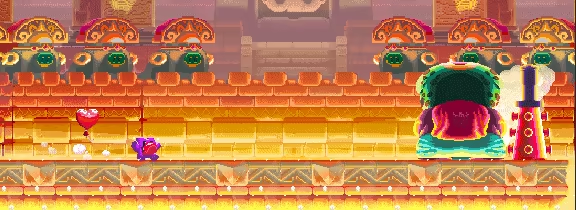
SAVE THE LANDS OF SUBROSA!
Don't let Subrosa be destroyed by the fearsome King of Nightmares. Prove to be the long-awaited prophesied hero. Everyone counts on you and your giant tongue! Are you ready to venture out?
This text comes straight from the game's store page and is pulled in automatically. We don't write or edit it, so it may contain spoilers.
System Requirements
- Min
- -
- Rec
- Microsoft® Windows® 10
- Min
- 1.5 GHz CPU
- Rec
- Multi-core 2Ghz CPU
- Min
- 2 GB RAM
- Rec
- 4 GB RAM
- Min
- Integrated Graphics Card
- Rec
- OpenGL 3.0 (DirectX® 10) compliant graphics card and driver
- Min
- Version 10
- Rec
- Version 10
- Min
- 300 MB available space
- Rec
- 300 MB available space
- Min
- -
- Rec
- Game controller recommended
These are the developer's listed requirements and may not be 100% accurate. If your specs fall below the minimum, try the game anyway; many games run fine below the listed requirements. When in doubt, check YouTube for performance benchmarks.
Download
Download the files from any mirror below. All parts are needed. Save them to the same folder, then extract the first one.
We don't accept fix requests when only one host is down. Please use another mirror above. Links broken? Let us know.
We never password-protect files or hide installers. If a page asks for a password or payment, that is the host's ad, not us. See our safety guide.