RUNNING TRAIN - Free PC Download
HOP ON OPERATOR'S CABIN!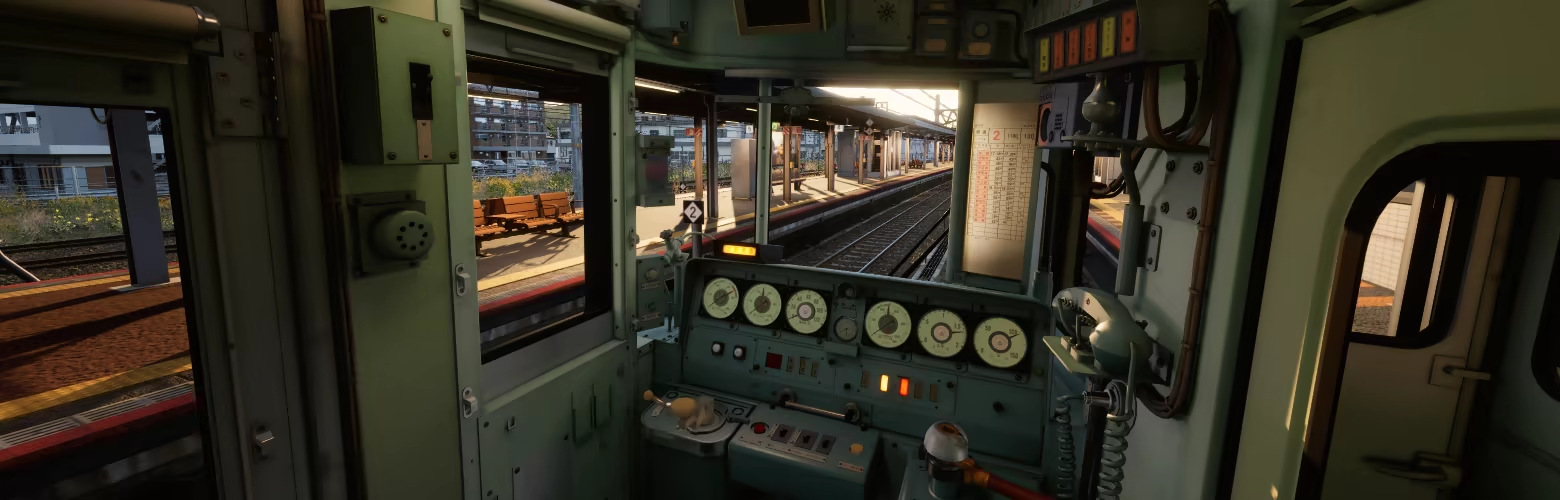
Start your journey along Coastal Hayamori Railway and Rural Kofuku Railway. both routes have distinct operational pattern and characteristic. Make sure that your passengers get from station to station safely!
EASY TO LEARN / HARD TO MASTER!
Love the challenge? turn on HARD-MODE, or NO-UI, or even NO-SPEEDOMETER mode for extra score!
FREE MODE!
Tired of driving and got punishing too much in scoring mode? Set back and relax, let AI driver drive the train and you can enjoy breathtaking environment along coastal and rural Japanese as both passenger and trainspotter.
GET CREATIVE!
Your vision, your train. Customize your liveries with open textures and bring your designs to life!
ELEVATE YOUR IMMERSION WITH CONTROLLER SUPPORT!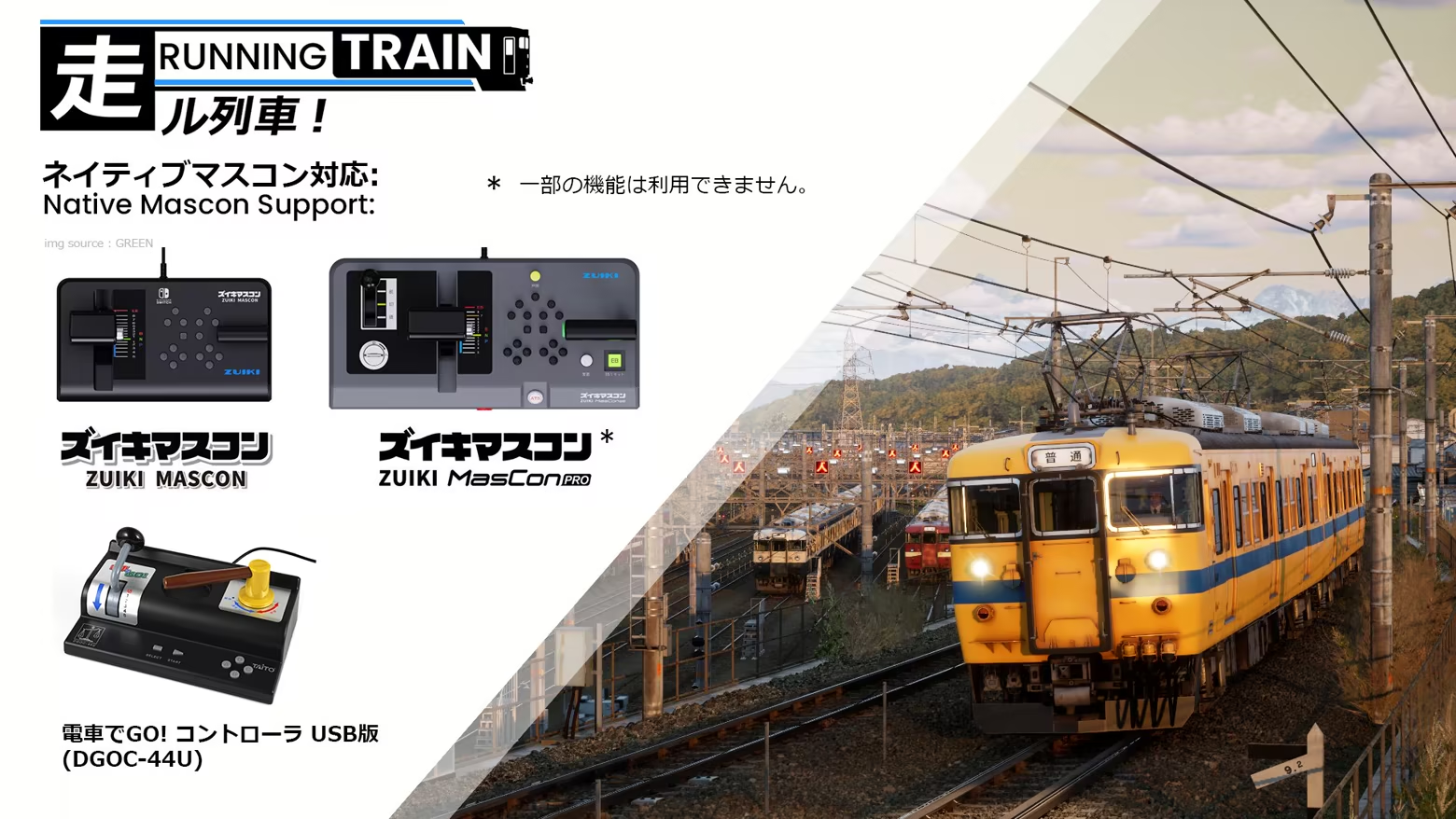
COMPLETE FEATURE LISTS:
4 Train type with different characteristic
2 Fictional Railway operator spanning 40km of meticulously handcrafted fully detailed route
Railway Safety system such as Vigilance and Automatic Train Stop implemented
Realistic physics and train motion
Features over 40 diagrams both local and express train spanning early morning, afternoon, and nighttime operation.
2 seasons available: Sakura Spring and Snowy Winter
Selectable weather and environment settings
Master controller support
Auto-drive mode, let you enjoy route scenery as passenger or trainspotter
Open livery editor
Photo mode
This text comes straight from the game's store page and is pulled in automatically. We don't write or edit it, so it may contain spoilers.
System Requirements
- Min
- Windows 10, 11 (64-bit)
- Rec
- Windows 10, 11 (64-bit)
- Min
- Intel Core i7-7700HQ or AMD Ryzen 5 1500X
- Rec
- Intel Core i5-12400F or AMD Ryzen 5 5600X
- Min
- 8 GB RAM
- Rec
- 16 GB RAM
- Min
- NVIDIA GeForce GTX 1050M (4 GB VRAM)
- Rec
- NVIDIA GeForce RTX 3060 (8 GB VRAM or better)
- Min
- Version 12
- Rec
- Version 12
- Min
- 4 GB available space
- Rec
- 4 GB available space
- Min
- if you have 8GB system, make sure to close all unrelated app before launch to reduce risk of memory issue during loading.
- Rec
- -
These are the developer's listed requirements and may not be 100% accurate. If your specs fall below the minimum, try the game anyway; many games run fine below the listed requirements. When in doubt, check YouTube for performance benchmarks.
Download
Download the files from any mirror below. All parts are needed. Save them to the same folder, then extract the first one.
We don't accept fix requests when only one host is down. Please use another mirror above. Links broken? Let us know.
We never password-protect files or hide installers. If a page asks for a password or payment, that is the host's ad, not us. See our safety guide.