

X-Plane 11 - Free PC Download
Über X-Plane 11
Just Updated
X-Plane 11.51 update is now available. The update contains bug fixes and includes more custom airports. See the detailed list of new items here:
Buzz
Laminar Research releases X-Plane 11.50 final
Laminar Research, creator of the X-Plane flight simulator franchise, is proud to announce the final Vulkan/Metal update of X-Plane 11. After many months of converting our graphics engine and beta testing, we are today announcing the final release of version 11.50 for the X-Plane desktop platform.
Vulkan (PC) and Metal (Mac) are rendering level APIs that change how X-Plane interacts with the graphics card. They are faster than OpenGL that X-Plane has used in the past. Overall, most users will see improved frame rates and reduced stutters when using Vulkan or Metal.
In X-Plane 11.50, there is a check-box in the graphics settings that enables Vulkan or Metal, and a restart of X-Plane is necessary for the change to take effect. If for some reason a user can’t use Vulkan or Metal, OpenGL is still available by simply unchecking the box.
Numerous bug fixes, enhancements, and new airports are also included in this release.
About the Game
The future of flight simulation is now.X-Plane 11 is the detailed, realistic, and modern simulator you’ve been waiting for.
New in X-Plane 11
A completely redesigned, intuitive user interface that makes setting up and editing your flight a breeze.
Consistently usable 3-D cockpits and stunningly high-resolution exterior models for all included aircraft.
A new effects engine for lighting, sounds, and explosions.
Realistic avionics: all planes are IFR-ready right out of the gate.
Busy, “living” airports with pushback tugs and roaming fuel trucks, able to service both your aircraft and the simulator’s AI planes.
New buildings & roads to better simulate European cities
…and more!
Dieser Text stammt direkt von der Store-Seite des Spiels und wird automatisch übernommen. Wir schreiben und bearbeiten ihn nicht, er kann also Spoiler enthalten.
Systemanforderungen
- Min
- Windows 7, 8.1, or 10, 64-bit
- Empf
- Windows 7, 8.1, or 10, 64-bit
- Min
- Intel Core i3, i5, or i7 CPU with 2 or more cores, or AMD equivalent
- Empf
- Intel Core i5 6600K at 3.5 ghz or faster
- Min
- 8 GB RAM
- Empf
- 16 GB RAM
- Min
- DirectX 11-capable video card from NVIDIA or AMD w/512 MB VRAM
- Empf
- DirectX 12-capable video card from NVIDIA or AMD w/4 GB VRAM
- Min
- Version 11
- Empf
- Version 12
- Min
- 20 GB available space
- Empf
- 65 GB available space
- Min
- Default
- Empf
- Default
- Min
- -
- Empf
- Broadband Internet connection
- Min
- The disk requirements are based on how many world scenery areas are downloaded. Minimum with one scenery area is 20 GB . Additional scenery areas can be downloaded at no charge at any time after purchase
- Empf
- The disk requirements are based on how many world scenery areas are downloaded. Minimum with one scenery area is 20 GB . Additional scenery areas can be downloaded at no charge at any time after purchase
Dies sind die vom Entwickler angegebenen Anforderungen, die möglicherweise nicht zu 100 % genau sind. Wenn deine Hardware unter dem Minimum liegt, probiere das Spiel trotzdem aus; viele Spiele laufen auch außerhalb der Spezifikationen gut. Im Zweifel schau dir Performance-Benchmarks auf YouTube an.
Herunterladen
Lade die Dateien von einem der untenstehenden Mirror herunter. Alle Teile werden benötigt. Speichere sie im selben Ordner und entpacke dann die erste Datei.
Lade jeden Teil herunter. Du brauchst alle.
Wir nehmen keine Fix-Anfragen an, wenn nur ein Host ausfällt. Nutze bitte einen anderen Mirror oben. Links defekt? Sag uns Bescheid.
Wir schützen Archive nie mit Passwörtern und verstecken keine Installer. Wenn eine Seite nach einem Passwort oder einer Zahlung fragt, ist das die Werbung des Hosters, nicht wir. Siehe unseren Sicherheitsleitfaden.
Kommentare
Das könnte dir auch gefallen

Microsoft Flight Simulator (2020) 40th Anniversary Edition
Simulation, Adventure

BeamNG.drive
Simulation, Racing, Sandbox
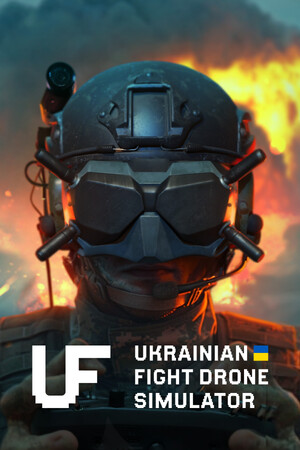
Ukrainian Fight Drone Simulator
Action, Simulation, Tactics

SnowRunner
Simulation, Racing, Adventure

Forza Horizon 5
Racing, Simulation, Adventure

Car Mechanic Simulator 2021
Simulation, Sandbox, Racing