
FunnyPizzaLand - Free PC Download
Über FunnyPizzaLand
You are Pedro, the usually happy owner of a famous restaurant in PIZZALAND.
Business wasn't going well lately, so one day he made the one and only life-changing decision:
...to hunt down the evil GlobalMediaMonster.
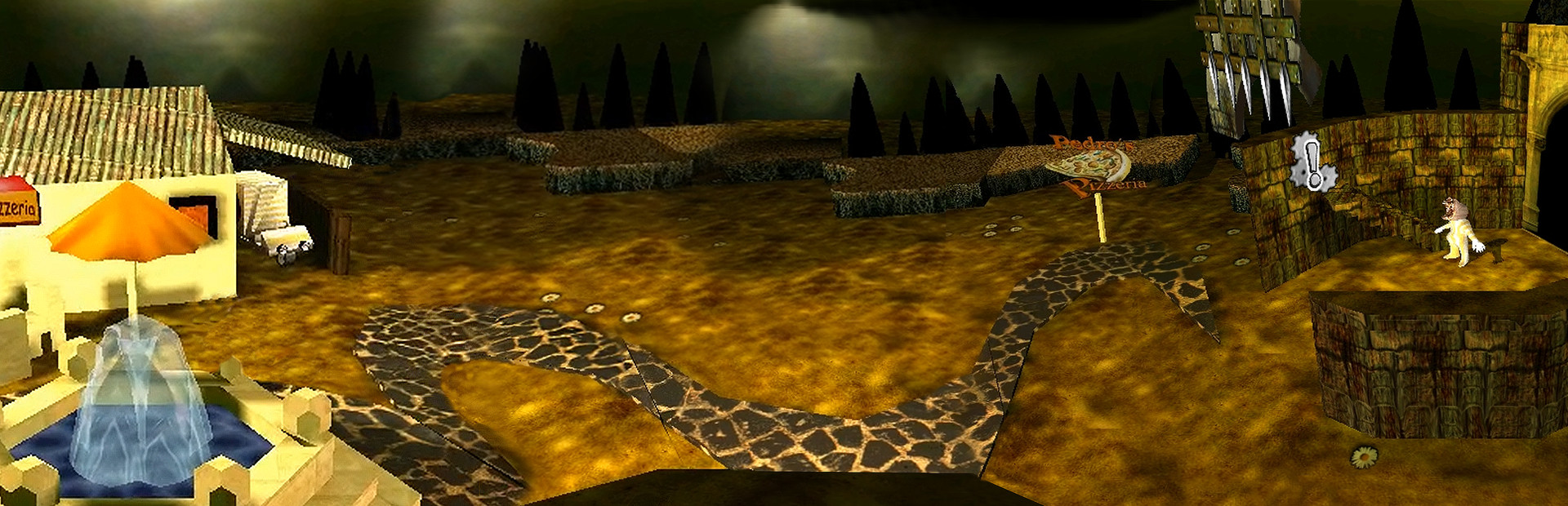
Help Pedro on his trip and jump and run through an surreal 3D adventure like you have never seen it before. Meet freaky dudes, misterious creatures and hot ladies and visit places beginning from the darkness of the catacombs to the creepy castle on top of PIZZALAND's mountains.
Are you ready for the final showdown against the GlobalMediaMonster?!
FunnyPizzaLand is a RETRO experience and a real classic. It's a experimental game that was already developed back in 2001 for Windows XP.
. designed to be a playable painting
. Internet classic from 2001!
. surreal, hand crafted art world with dark atmosphere
. original low resolution RETRO visuals
. with possible Happy End ;)

Please read the following to get out most of FunnyPizzaLand:
-------------------------------------------------------------------------------------------------------------------------------
-------------------------------------------------------------------------------------------------------------------------------
How to play with keyboard and mouse:
------------------------------------------
Arrow keys = walk
Spacebar = action
Pos1 key = jump
(HOME key on english keyboards)
Mouse left click = menu control
Mouse right click = cursor show/hide
(FunnyPizzaLand does not have official controller support and you must manually map the keys/mouse to your device.)
. . . . . . . . . . . . . . . . . . . . . . . . . . . . . . . . . . . . . . . . . . . . . . . . . . . . . . . . . . . . . . . . . . . . . . . . . . . .
All cutscenes under Windows 10, no problem:
-------------------------------------------------
Steam no longer supports games developed for Windows XP.
To still enjoy the cinematic goodness of the cutscenes on Windows 10, just do the following:
Open your FunnyPizzaLand directory in your Steam library and right-click the file 'start.exe'
and select Properties. Under the Compatibility tab let it run in Compatibility mode under Windows XP Service Pack 3, that's it.
-------------------------------------------------------------------------------------------------------------------------------
-------------------------------------------------------------------------------------------------------------------------------
Dieser Text stammt direkt von der Store-Seite des Spiels und wird automatisch übernommen. Wir schreiben und bearbeiten ihn nicht, er kann also Spoiler enthalten.
Systemanforderungen
- Min
- Windows XP
- Empf
- Windows XP
- Min
- Dual Core 2.60 GHz
- Empf
- -
- Min
- 2 GB RAM
- Empf
- -
- Min
- Intel HD 3000 or better
- Empf
- -
- Min
- 734 MB available space
- Empf
- -
Dies sind die vom Entwickler angegebenen Anforderungen, die möglicherweise nicht zu 100 % genau sind. Wenn deine Hardware unter dem Minimum liegt, probiere das Spiel trotzdem aus; viele Spiele laufen auch außerhalb der Spezifikationen gut. Im Zweifel schau dir Performance-Benchmarks auf YouTube an.
Herunterladen
Lade die Dateien von einem der untenstehenden Mirror herunter. Alle Teile werden benötigt. Speichere sie im selben Ordner und entpacke dann die erste Datei.
Wir nehmen keine Fix-Anfragen an, wenn nur ein Host ausfällt. Nutze bitte einen anderen Mirror oben. Links defekt? Sag uns Bescheid.
Wir schützen Archive nie mit Passwörtern und verstecken keine Installer. Wenn eine Seite nach einem Passwort oder einer Zahlung fragt, ist das die Werbung des Hosters, nicht wir. Siehe unseren Sicherheitsleitfaden.
Kommentare
Das könnte dir auch gefallen

Danganronpa 2: Goodbye Despair
Mystery, Visual Novel, Horror

Poppy Playtime - Chapter 2
Adventure, Action, Horror

Danganronpa: Trigger Happy Havoc
Visual Novel, Mystery, Horror

The Coffin of Andy and Leyley
Visual Novel, Horror

Little Nightmares II
Horror, Adventure, Puzzle

Little Nightmares
Horror, Adventure, Platformer