Capybara Spa - Free PC Download
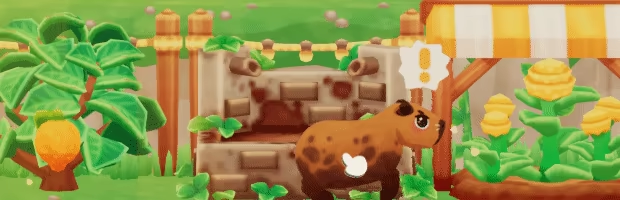
Receive capybaras & their friends!
Welcome into your spa the animals wandering around the mountain! As you improve your spa, new animals will visit such as turtles, frogs, otters and ducks. Place capybaras in the spa along with other animals... they might even befriend them during their stay!

Grow fruits & craft soaps to care for your visitors!
Plant gardens and harvest snacks such as lemons, oranges, strawberries & blueberries to feed your capybaras! Visitors will also have other requests during their stay at the spa such as towels, flowers and soaps. Make sure to fulfill the requests quickly to keep the animals happy and pampered!
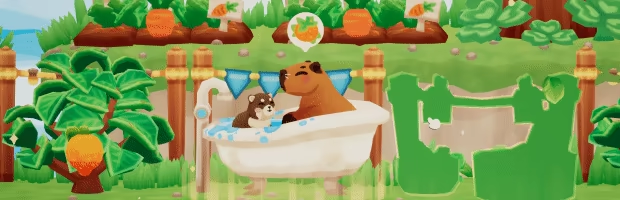
Restore & furnish a mountainside spa!
Improve your spa's popularity to unlock new furniture such as baths, fruits gardens and flower beds. Expand your spa along the mountain and place decorations to design your own capybara spa!
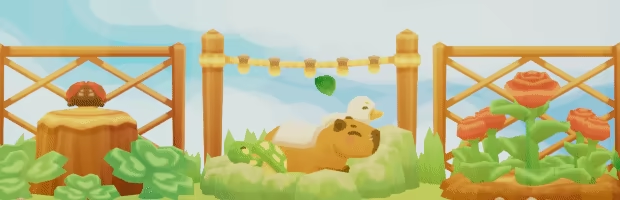
Bring in insects to help you manage the spa!
Run everything smoothly with the help of butterflies, ladybugs, bees and dragonflies! They'll fly around and assist you to fulfill the capybaras' requests as you grow your spa and welcome more visitors!
This text comes straight from the game's store page and is pulled in automatically. We don't write or edit it, so it may contain spoilers.
System Requirements
- Min
- Intel Core i5
- Rec
- -
- Min
- 4 GB RAM
- Rec
- -
- Min
- NVIDIA GeForce GTX660
- Rec
- -
- Min
- 600 MB available space
- Rec
- -
These are the developer's listed requirements and may not be 100% accurate. If your specs fall below the minimum, try the game anyway; many games run fine below the listed requirements. When in doubt, check YouTube for performance benchmarks.
Download
Download the files from any mirror below. All parts are needed. Save them to the same folder, then extract the first one.
We don't accept fix requests when only one host is down. Please use another mirror above. Links broken? Let us know.
We never password-protect files or hide installers. If a page asks for a password or payment, that is the host's ad, not us. See our safety guide.